

STREAM Project program by SCO for SCRATCH
The STREAM Project program in Scratch integrates Science, Technology, Robotics, Engineering, Arts, and Mathematics to encourage students to explore and apply concepts in a hands-on manner using Scratch.


Here’s how you can approach creating a STREAM Project program in Scratch:
Steps to Create a STREAM Project Program in Scratch:
Choose a Theme or Problem Statement:
Select a theme or problem statement that integrates elements from Science, Technology, Robotics, Engineering, Arts, and Mathematics (STREAM). For instance, creating a robot, delving into environmental science, developing an interactive simulation, or designing a mathematical puzzle game.
Design and Plan:
To get started on your project, begin by brainstorming various ideas and then sketching out a detailed plan. Take into account how each STREAM discipline – science, technology, engineering, art, and mathematics – will be integrated into your project. Clearly outline the objectives, features, and functionalities that you aim to achieve.
Age Group: 15-18 years
Create Assets:
Use Scratch’s sprite editor to create and customize characters, objects, backgrounds, and visual elements to add depth and appeal to your project. Think about how visual design and aesthetics can elevate user engagement and experience.
Code Interactions and Mechanics:
Utilize the block-based coding interface in Scratch to program the behaviours and interactions within your project precisely. Tailor your code by incorporating a mix of motion blocks, control blocks, sensing blocks, and more, depending on the specific focus of your project.
Science: Remember to include scientific principles like gravity, forces, chemical reactions, and other related concepts.
Technology: Create engaging and interactive elements, design intuitive user interfaces, and effectively organize and maintain data.
Robotics: Delve into the world of simulating robotic movements, sensors, and independent behaviors.
Engineering: Consider creating intricate and forward-thinking buildings, contraptions, or frameworks for your project.
Arts: Remember to include visually appealing graphics, engaging animations, immersive sound effects, and captivating music.
Mathematics: Develop puzzles, simulations, or games that require the application of mathematical principles.
Implement STREAM Features:
Design and implement unique features and functionalities that correspond to the specific aspects of each STREAM (Science, Technology, Reading, Engineering, Arts, Mathematics) discipline. For example:
- Science: Replicate alterations in the environment or biological functions.
- Technology: Design and develop engaging simulations or captivating data visualizations.
- Engineering: Create buildings or devices that can react to user commands or actions.
- Arts: Create eye-catching and attractive visual designs and animations.
- Mathematics: Create challenging mathematical puzzles or design engaging mathematical games.
Test and Iterate:
To ensure that your project is in top shape, it’s important to thoroughly playtest it to check for bugs, and usability issues, and to confirm that everything aligns with your original plan. Make necessary adjustments to improve functionality and usability based on the test results.
Document and Reflect:
Please ensure that you document your project thoroughly. This should include details about the design process, any challenges that arose, and the solutions you implemented to overcome them. It’s important to reflect on what you’ve learned from the project and consider how you could improve or expand it in the future.
Share and Showcase:
Make sure to share your STREAM Project program with your peers, educators, or the wider Scratch community. You can also participate in showcases or exhibitions to demonstrate your project and receive valuable feedback.
Example STREAM Project Ideas for Scratch:
Environmental Simulation: Develop a simulated environment to educate users about the effects of environmental changes on various ecosystems.
Robotic Adventure Game: Create a game in which players guide a robot through various obstacles, requiring them to use engineering principles and solve mathematical puzzles along the way.
Mathematical Art Generator: Create a software application capable of producing intricate geometric patterns or fractals using predefined mathematical algorithms.
Interactive Science Lab: Create an immersive virtual science laboratory that enables users to carry out a wide range of experiments and gain a deep understanding of scientific concepts and principles.
Example Scratch Blocks Usage:
When Green Flag Clicked: To begin, execute the program and set up the initial values for the variables.
Event and Control Blocks: You can set up actions to be triggered in response to user interactions such as clicking buttons or pressing keys.
Motion and Sensing Blocks: Monitor the movements of graphics and identify the interactions between different objects.
Sound and Looks Blocks: Implement audio cues to provide feedback and modify the visual representation of game elements in response to specific in-game events.
By incorporating principles from Science, Technology, Robotics, Engineering, Arts, and Mathematics into your Scratch project, you can develop a captivating and instructive STREAM Project that encourages interdisciplinary education and fosters creativity. Explore various ideas, functionalities, and programming methods to ensure that your project delivers both educational value and entertainment for its users.
More information available at – Scratch’s website
International Olympiad Exam Registration

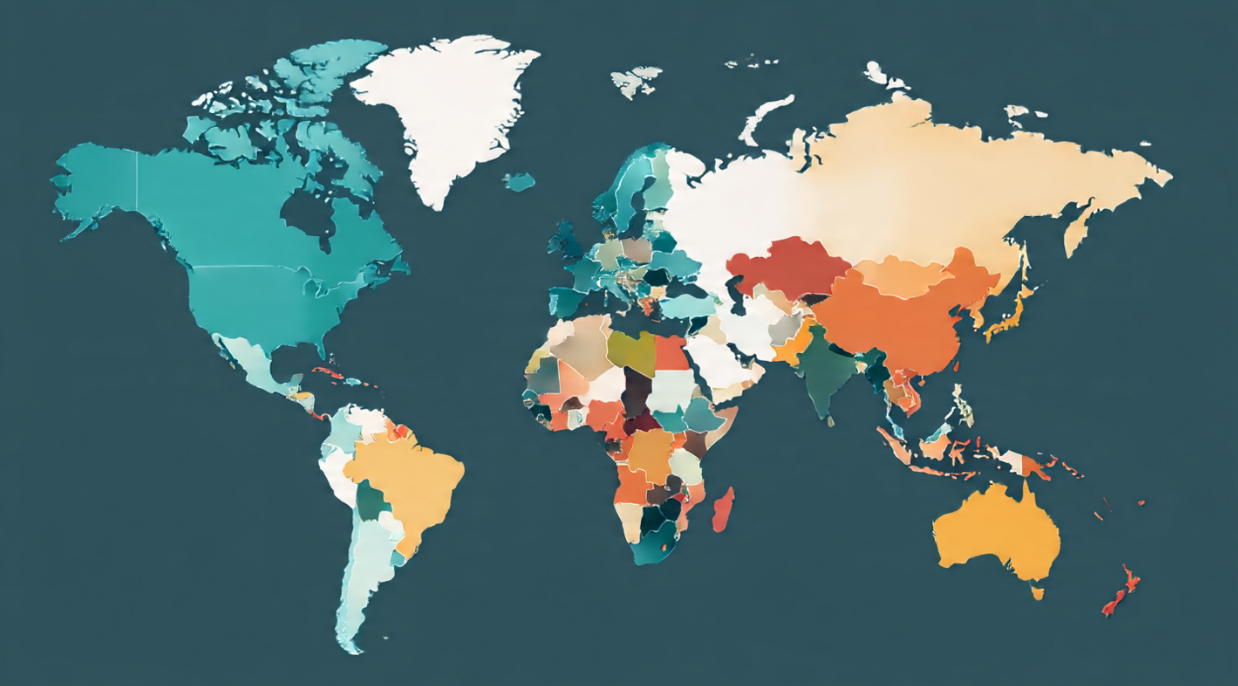
Countries Participating in My World SCRATCH SCO Program
Olympiad Exams in Jordan | Olympiad Exams in Nigeria | Olympiad Exams in Zimbabwe | Olympiad Exams in Germany | Olympiad Exams in France | Olympiad Exams in New Zealand Olympiad Exams in Singapore | Olympiad Exams in United Kingdom | Olympiad Exams in United States of America | Olympiad Exams in Netherlands | Olympiad Exams in Egypt | Olympiad Exams in Nepal | Olympiad Exams in Sri Lanka | Olympiad Exams in Bangladesh | Olympiad Exams in Bahrain | Olympiad Exams in Kuwait | Olympiad Exams in Hong Kong | Olympiad Exams in Philippines | Olympiad Exams in Indonesia | Olympiad Exams in Qatar | Olympiad Exams in United Arab Emirates | Olympiad Exams in Mauritius | Olympiad Exams in South Africa | Olympiad Exams in Kenya | Olympiad Exams in Saudi Arabia | Olympiad Exams in Australia | Olympiad Exams in Armenia | Olympiad Exams in Kazakhstan | Olympiad Exams in Sweden | Olympiad Exams in Denmark | Olympiad Exams in Canada | Olympiad Exams in Azerbaijan | Olympiad Exams in Uzbekistan | Olympiad Exams in Brazil | Olympiad Exams in Mexico | Olympiad Exams in Thailand | Olympiad Exams in Iran | Olympiad Exams in Korea | Olympiad Exams in Malaysia | Olympiad Exams in Argentina | Olympiad Exams in Kyrgyzstan | Olympiad Exams in Poland | Olympiad Exams in Turkey | Olympiad Exams in Vietnam | Olympiad Exams in Taiwan | Olympiad Exams in Turkmenistan | Olympiad Exams in Japan | Olympiad Exams in Pakistan | Olympiad Exams in Colombia | Olympiad Exams in Uganda | Olympiad Exams in Venezuela | Olympiad Exams in India | Olympiad Exams in Russia| Olympiad Exams in Oman | Olympiad Exams in China | Olympiad Exams in Greece




Leave a Reply